
Service Unavailable
We're sorry, this service is not available in your region.


It was only a matter of time before crypto and gaming found each other. If you’re a gamer and crypto enthusiast, we’ve written this guide on how to buy games with Bitcoin and crypto especially for you. Whether you’re a diehard PC gamer, PlayStation and Xbox console connoisseur or just into it all, here’s how to use your crypto for gaming.
How to Use Crypto for Gaming
If you want to buy video games with Bitcoin or another cryptocurrency, you’ll typically have three easy ways to do it:
Buy gaming gift cards with crypto, instantly redeem and use from the BitPay app or Extension.
Paying straight from your crypto wallet with a select number of gaming companies that accept crypto payments.
Buy Gift Cards with Crypto
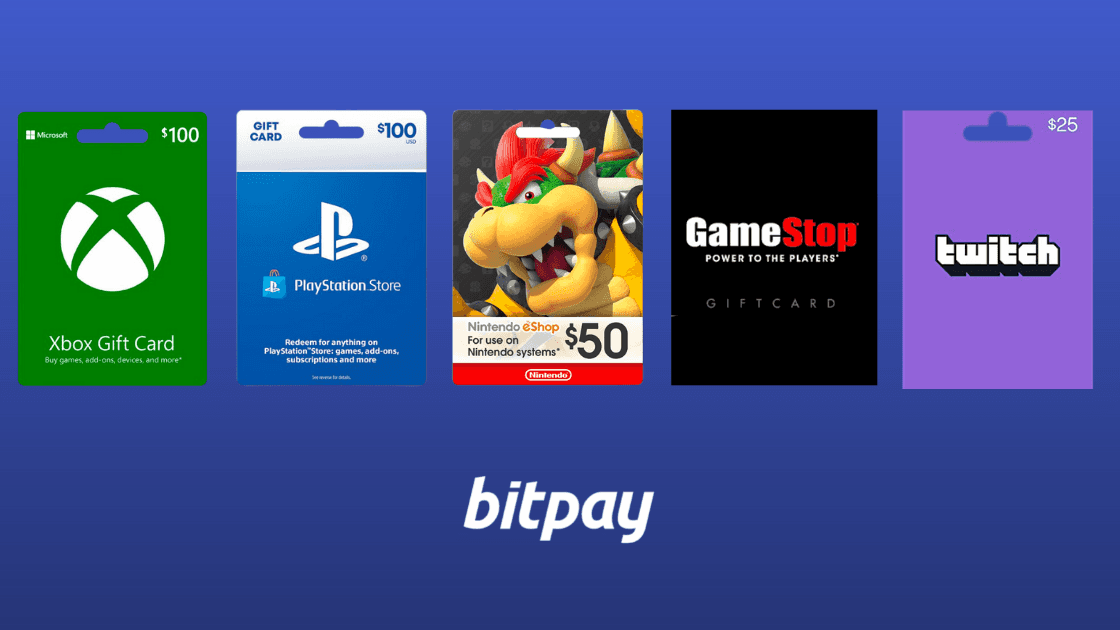
Buy gaming gift cards with crypto in the BitPay app or Extension. Buy gift cards for your favorite gaming sources like PlayStation, Xbox, Nintendo, GameStop, Walmart, Twitch, Microsoft and more.
A gift card for every gamer
Game Straight From Your Crypto Wallet
A select number of gaming companies accept Bitcoin and other cryptocurrencies payments straight from your wallet. Popular platforms include Twitch, Blocklete games, Microsoft, Gamesplanet, Playasia and more.
Visit BitPay's Merchant Directory
How to Buy PlayStation Games with Bitcoin
Sony doesn’t accept cryptocurrency payments in the PlayStation Store. So instead of buying directly with Sony, we recommend that crypto enthusiasts buy PlayStation gift cards through the BitPay app or Extension. Gift cards are available for the Playstation Store to buy games and add-ons, as well to pay for your PlayStation Plus Membership. Instantly redeem and use your PlayStation gift cards to start gaming.
How to Buy Xbox One Games with Bitcoin & Crypto

Microsoft is a BitPay partner, meaning you can use cryptocurrency to buy Xbox games and any other Xbox expenses. Microsoft accepts Bitcoin and Bitcoin Cash. Instead of paying with cryptocurrency directly from the Xbox store you’ll need to redeem crypto through your Microsoft account. Here’s how to redeem Bitcoin in your Microsoft account:
Go to account.microsoft.com and sign in to your Microsoft account.
Under Payment & billing, select Payment options.
Select Redeem Bitcoin, select the amount you want to add, then select Next.
Review the amount of Bitcoin needed and use your digital wallet to complete the transaction within 15 minutes.
On your PC: select Open in wallet and pay from your Bitcoin wallet on the same device.
On your phone: scan the QR code on the page to pay from your mobile wallet app.
If your wallet is on another device, you can copy the receiving address and BTC amount to the wallet on your device or the web and then make your purchase.
Alternatively, you may buy gift cards for Xbox through the BitPay app and Extension to buy Xbox games, DLC and more.
How to Buy Nintendo Switch Games with Bitcoin & Cryptocurrency
Nintendo doesn't accept cryptocurrency payments, unfortunately. The best way to spend cryptocurrency in the Nintendo eShop is by purchasing gift cards through the BitPay app or Extension. Nintendo eShop gift cards can be used to buy games, Nintendo Switch hardware and Nintendo accessories.
How to Buy Gaming Consoles & Gaming PCs with Cryptocurrency
Looking for a new rig or console? BitPay makes it easy to upgrade your battlestations using crypto.
Shop directly with Newegg to buy gaming consoles, gaming PCs and gaming accessories. As one of BitPay’s premier partners, Newegg accepts Shiba Inu Token (SHIB), Dogecoin (DOGE), Bitcoin (BTC), Bitcoin Cash (BCH), Ethereum (ETH), Litecoin (LTC), Wrapped BTC, Dai, and 4 USD-pegged stablecoins (USDC, BUSD, USDP, GUSD).
Lastly, gift cards are available for purchase for some of the most popular electronics and gaming stores. Buy gift cards in the BitPay app or Extension for Walmart and Amazon to put towards your new PS5, Xbox One or gaming PC purchase.
FAQs About Buying Games with Bitcoin
What cryptocurrency can I use to buy video games?
BitPay supports Bitcoin, major altcoins, tokens and stablecoins. Currently we support Bitcoin (BTC), Ethereum (ETH), Bitcoin Cash (BCH), Dogecoin (DOGE), Shiba Inu (SHIB), Litecoin (LTC), Dai (DAI), Binance USD (BUSD), USD Coin (USDC), Wrapped Bitcoin (WBTC), Pax Dollar (USDP) and Gemini Dollar (GUSD). We are constantly evaluating and adding new coins to give gamers more ways to use crypto in gaming.
Share this post


Note: All information herein is for educational purposes only, and shouldn't be interpreted as legal, tax, financial, investment or other advice. BitPay does not guarantee the accuracy, completeness, or usefulness of any information in this publication and we neither endorse, nor are we responsible for, the accuracy or reliability of any information submitted or published by third parties. Nothing contained herein shall constitute a solicitation, recommendation, endorsement or offer to invest, buy, or sell any coins, tokens or other crypto assets. BitPay is not liable for any errors, omissions or inaccuracies. For legal, tax, investment or financial guidance, a professional should be consulted.